
How to use shareholder and investor information websites
Regarding changing the font size
To change the font size on this site, please use your browser's font size adjustment function.
How to change the font size in your browser (Google Chrome)

How to change the font size in your browser (Microsoft Edge)

Latest IR news and RSS feed
The latest IR news and press releases are posted at the top of the shareholder and investor information page.
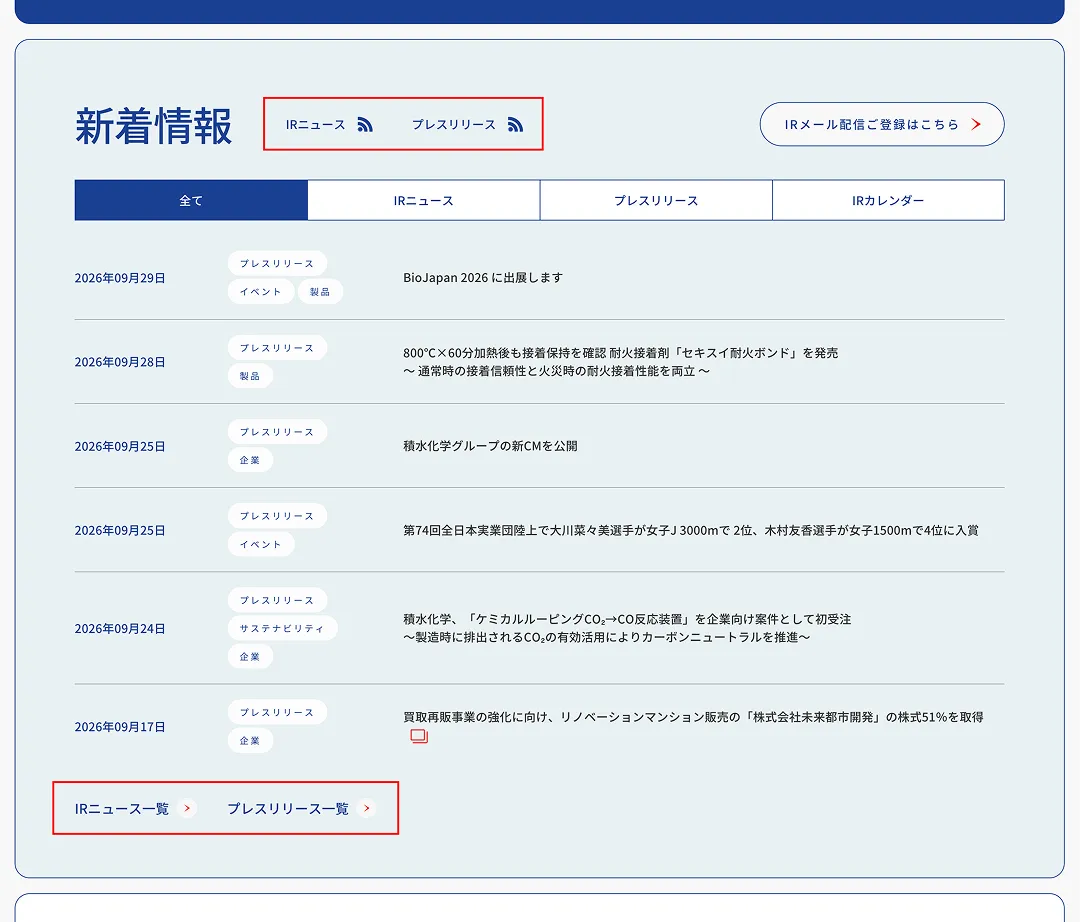
- [1] About RSS
-
- You can access the RSS feed via this link located on the top page of the Shareholder and Investor Information section.
- RSS is a technology that allows websites to distribute headlines and summaries of news articles.
By using RSS feeds, you can quickly check the latest information and list of articles on a website. - To use RSS feeds, you need software called an "RSS reader" or a web browser that supports RSS.
- [2] List of News
-
- On the pages accessed by clicking the IR News List and Press Release List buttons, you can view a list of past news.
About breadcrumb navigation
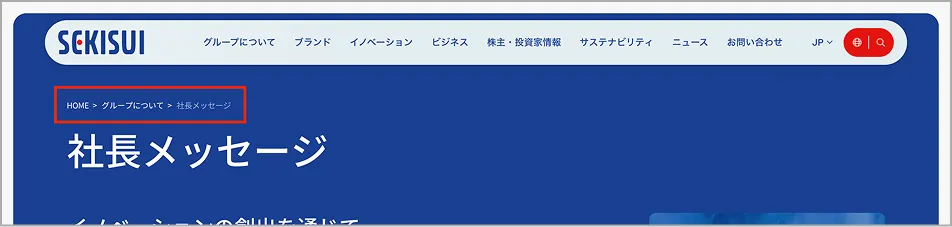
A "breadcrumb navigation" is displayed at the top of each page. The breadcrumb navigation shows where the page you are currently viewing is located within the website's hierarchy. By following the links in the breadcrumb navigation, you can easily move to pages in the higher levels of the hierarchy.
About the icons for various data

|
The linked page will open in a new window. |
|---|---|

|
The linked page will open in a modal window within the same page. |

|
To view pages marked with this symbol, you will need software or a browser that supports PDF files, such as "Adobe Reader." The latest version of "Adobe Reader" can be downloaded from the Adobe Reader website. |
|
To view pages marked with this symbol, you will need software that supports Excel files, such as "Microsoft Excel." |

|
Clicking the link marked with this symbol will download a ZIP file containing multiple files compressed together. Double-clicking the downloaded ZIP file will allow you to view the individual files. |
About the Shareholder and Investor Information Sitemap
The Shareholder and Investor Information Sitemap is a page that lists the IR content on the Sekisui Chemical Co., Ltd. website. Please use it when you want to quickly access information of interest or when you get lost on the site.
About the Shareholder and Investor Information Sitemap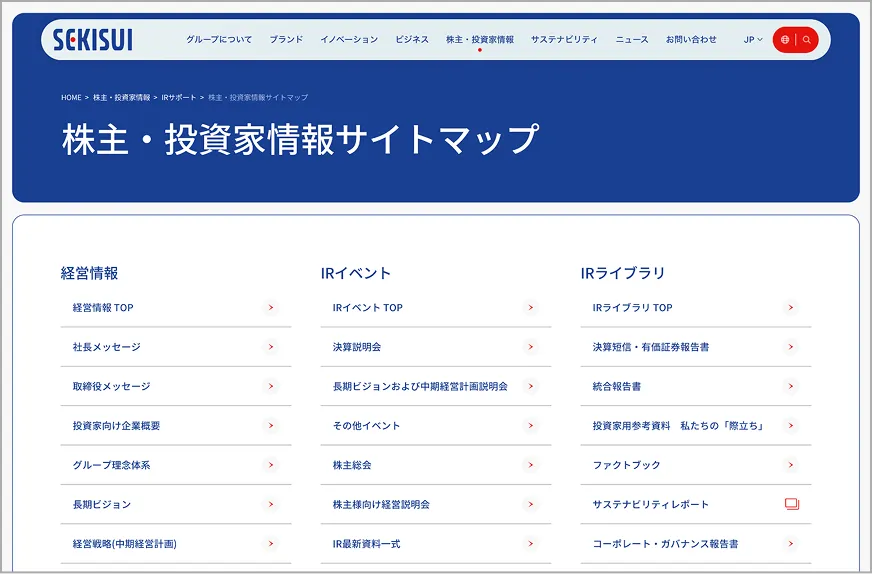
Viewing on a smartphone
Sekisui Chemical Co., Ltd.'s website automatically adjusts its design to fit the screen size of your device.
When viewing on a smartphone, the menu display will differ from when viewing on a PC.
How to display the menu
- Tapping the menu icon in the upper right corner of the screen will display the menu (the header section of the global navigation on the PC version). From here, you can access specific pages.
- To close the menu, tap the menu icon again.
